Showing posts with label VLAN. Show all posts

Sunday, February 2, 2025

OpenWRT and VLAN

I use a NanoPi R2S as my back up router.  Another day, I was setting it up from scratch.  I set up VLANs on it as I did before, however, I couldn't get an IP from any of the newly created VLAN networks.  I have checked the VLAN set up over and over again, and compare it with setups found in YouTube videos.  Everything seems in order.  Then, I check my switch, and again everything seems right too.  I was puzzling for a few days.


Few days later, I looked at the settings again, still couldn't see anything wrong.  Then it dawned on me to check the firewall settings, and the problem was indeed an firewall issue.  I may be wrong, but I think the own default was

input -> accept
output -> accept
forward -> reject

where as the new default is 

input -> reject
output -> accept
forward -> reject

As I highlighted, the culprit for my problem is the change to the input default setting.

INPUT governs traffic originating from devices in the zone that has its final destination on the router. Examples for this would be DHCP requests or DNS lookups

With input set to reject, computers on the network cannot talk to the router, i.e. getting access to the DHCP etc.  Hence, my computer appeared as having problem to join the network.


Simply change the input to accept, the problem fixes.


Saturday, September 28, 2019

EdgeRouter X VLAN and Firewall Rule Sets

One of the reasons you want to use VLAN is to segregate your network and to control traffics from one network to another.  This post is just about this.

One of the issue I have is the direction in a ruleset  As I was trying to limit the incoming traffics to an interface, you would think the direction should be IN.  Oddly, the direction is actually OUT.


In this example, I have a VLAN 100 and would like to accept traffics from VLAN 1 and 2 into this network, but to restrict the access from it to VLAN 1 and 2.

To do this, I set the default action of this rule to DROP, and then added three rulesets to grant the permitted traffics.

The first rule is a general rule which allows any traffics from this VLAN to connect to the internet.

For this, I created a ruleset, and set its action to ACCEPT, and allowed all protocols.  Then, on the advanced tab, I selected the states ESTABLISHED AND RELATED.

The second rule is a specific rule allowing VLAN 1 traffics to enter into this network.

For this, I created a ruleset, and set its action to ACCEPT, and allowed all protocols.  Then, on the advanced tab,  I selected the states ESTABLISHED AND RELATED (you may also need NEW).  One extra is required for this ruleset, and it is specifying its source!  on the source tab, I picked VLAN 1 from Network Interface dropdown box (or specifying the VLAN 1 IP, e.g. 192.168.1.0/24).  I applied similar steps for VLAN 2.

After all of these, VLAN 100 should be able to accept traffics from VLAN 1, and 2, and be able to talk to the WAN.  However it should not be able to access network resources in VLAN 1 and 2.

Above is based on this tutorial video I found on YouTube.


Saturday, September 14, 2019

Few Points of Setting up EdgeRuter X

Just want to share a few things I learnt while I was setting up my EdgeRouter X.

PVID is similar to UNTAGGED with other vendors, similar VID is as TAGGED.

Hence, with the example below, the router is configured as

eth1: VLAN 10
eth2: VLAN 20
eth3: VLAN 100
eth4: Truck port for VLAN10, VLAN20 and VLAN100


After setting up DHCP for each network, it needs to setup for DNS forwarding.


All fields in DHCP nees to be set.  I made the mistake not filling in the Router and DHCP field.  The router field is for the Gateway, and unlike other router which cannot be implied.  Missing it would result Gateway detail omitted in connected clients and hence no internet access.


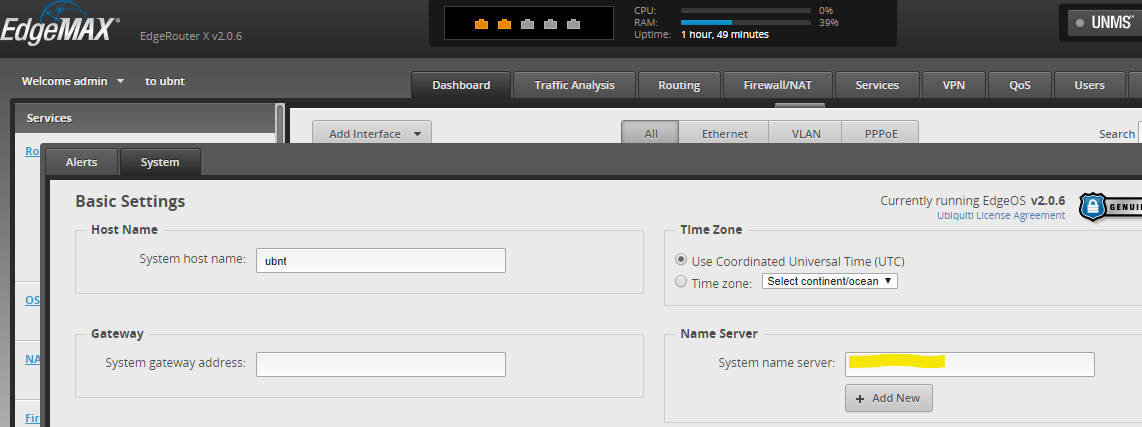
System wide DNS isn't set up in the System pane.


But rather using Config Tree


Personally, I prefer to use my choice of DNS provider than my Internet Provider's servers for stability and "privacy".  For example, with my choice of DNS provider, NX is returned for NX for URL like below rather than Internet Provider's error page.

nslookup www.jkjkjlkjlkjlkjl.com
*** UnKnown can't find www.jkjkjlkjlkjlkjl.com: Non-existent domain


Last but not least, enable hardware offloading for NAT and IPSec to get the best out of the router.


Sunday, July 14, 2019

EdgeRouter X VLAN Awared Switch Setup

After managed to setup my EdgeRouter X (ER-X) as a VLAN awared switch, I want to make a few notes on things I have learnt.

1. For the trunk port, set the VID field with VLAN IDs it handles (tagged).  In my setup, eth0 is my trunk port and it allows VLAN ID 1, 10, 20 and 100 to pass-through.

2. For VLAN port (un-tagged), put the desired VLAN ID in the PVID field (see example below)

3. Last but not least, it may worthwhile to tick the "Use non-default VLAN for management" option, and set the VLAN ID to the VLAN which you would like to be used as your management network while using the wizard to setting up the ER-X.  This allows you to get back to the ER-X later if you wish to change its settings later.